Browser Fingerprinting vs User Privacy: Finding the Ethical Ground
Browser Fingerprinting vs User Privacy: Finding the Ethical Ground
Introduction
Browser fingerprinting is quietly reshaping how websites identify and track users online. Unlike traditional cookies that you can delete, this technique creates a unique digital profile from your browser's settings, hardware, and behavior.
At HumaiWebs, we believe in transparent digital practices that respect user rights. In this comprehensive guide, we explore the clash between browser fingerprinting and user privacy, its real-world implications, and how to strike an ethical balance. Whether you're a concerned user or website owner, you'll find actionable insights here.
What Is Browser Fingerprinting?
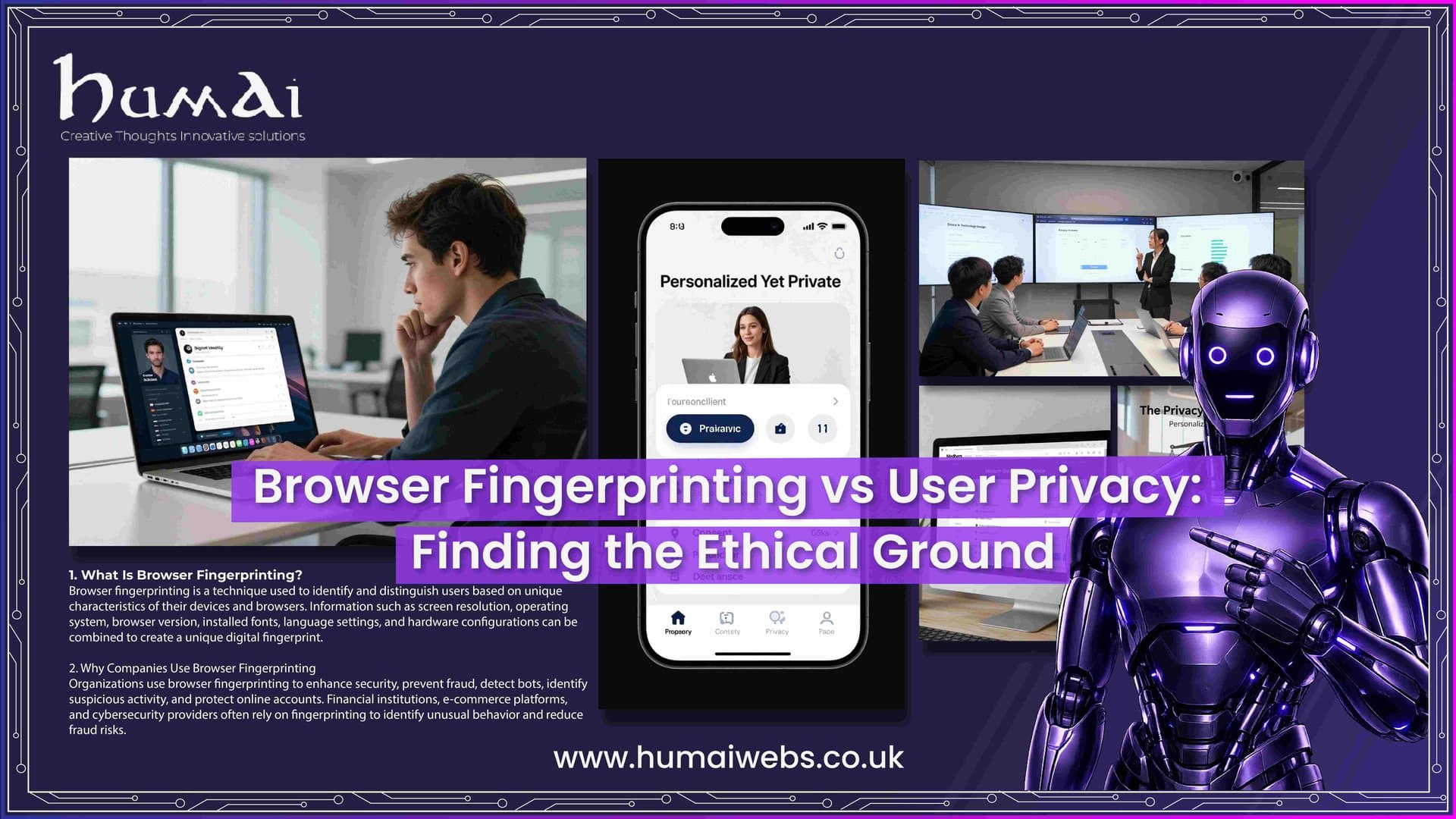
Browser fingerprinting collects dozens of data points from your device and browser to create a unique identifier. These points include your operating system, browser version, screen resolution, installed fonts, time zone, and even how your device renders graphics.
Websites run JavaScript scripts that gather this information passively through HTTP headers and actively through tests like canvas rendering. The result is a "fingerprint" that can identify you with surprising accuracy—even if you clear cookies or use incognito mode.
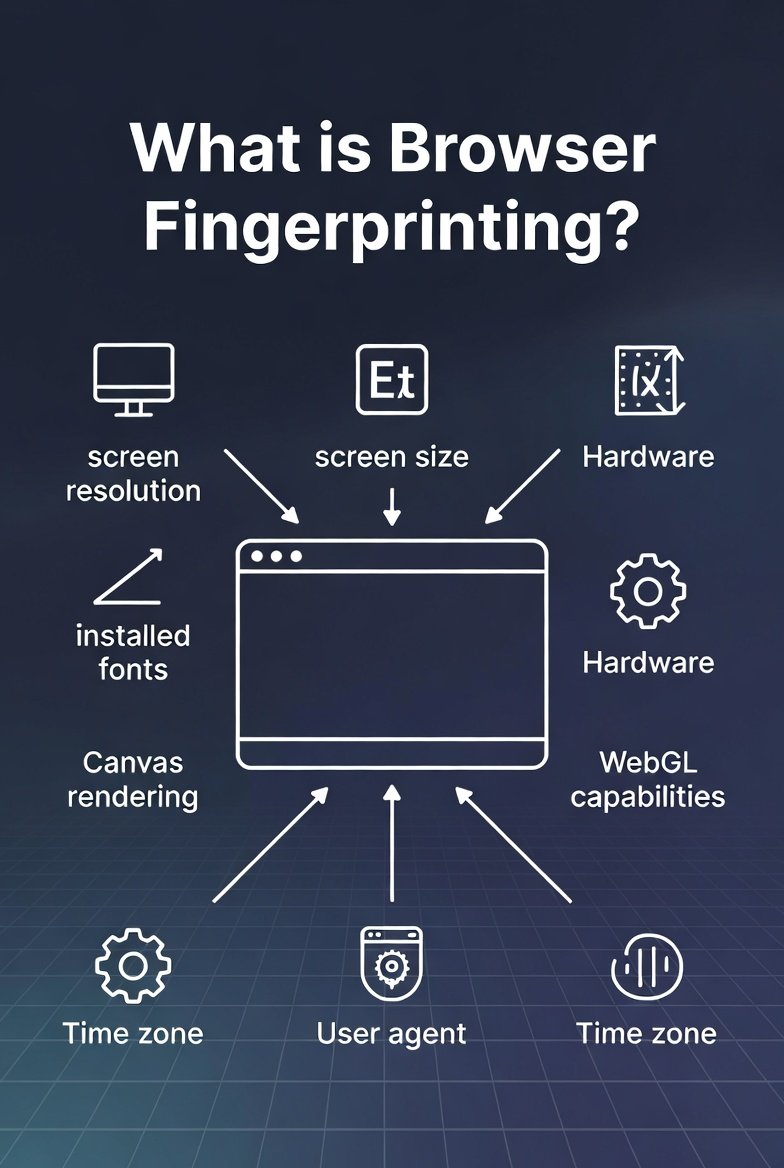
This method is stateless, meaning it doesn't store data on your device like cookies do. Instead, it rebuilds your profile each time you visit.
How Browser Fingerprinting Works in Practice
When you land on a site, a small script queries your browser's APIs. It checks your user-agent string, canvas fingerprint (how graphics are drawn), WebGL details, audio context, and more. These attributes are then hashed into a compact identifier.
Studies show that fingerprints can be unique for a large percentage of users. For example, variations in hardware and software configurations make most devices stand out. Advanced techniques even track across different browsers on the same device.
The Privacy Risks of Browser Fingerprinting
Browser fingerprinting poses serious threats to personal privacy. It enables cross-site tracking without consent, leading to detailed user profiles for advertising or surveillance.
Unlike cookies, users have little visibility or control. This invisible tracking can reveal sensitive information about your location, interests, and even health indirectly. In extreme cases, it undermines anonymity tools like VPNs.
The ethical issue arises because many users never realize their data is being collected and combined in ways that feel invasive.
Browser Fingerprinting vs Traditional Tracking Methods
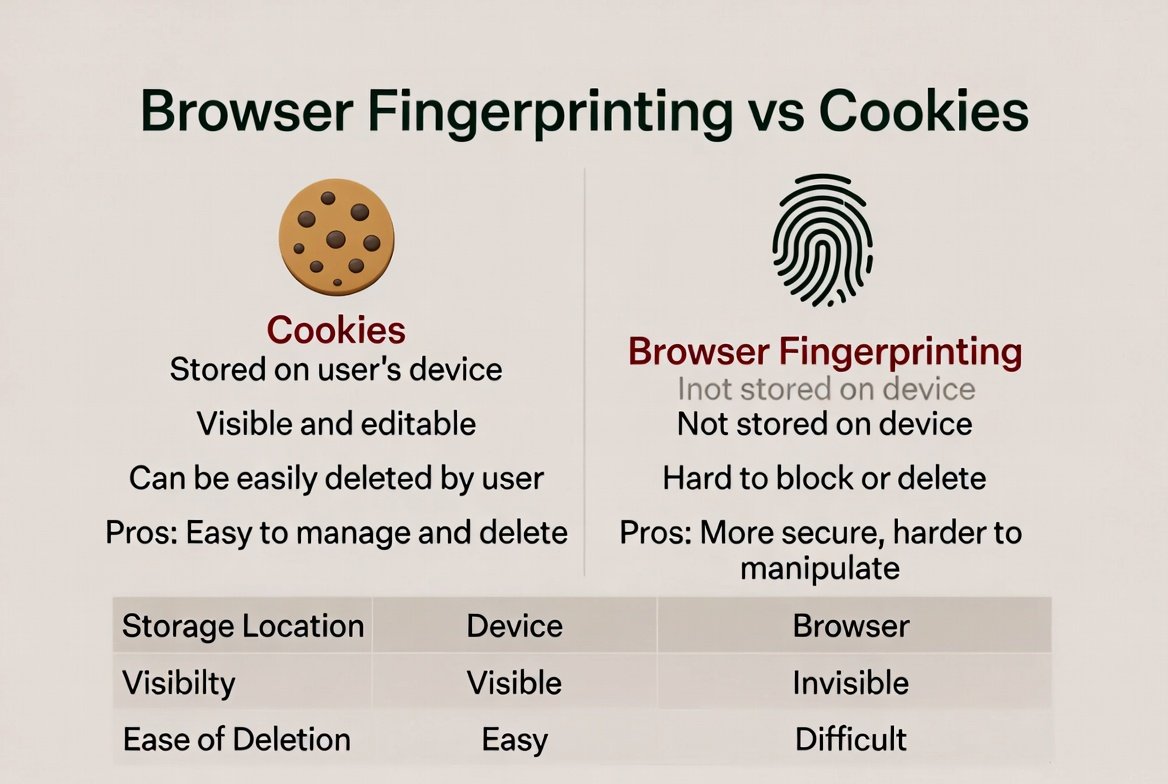
Cookies require storage on your device and are easier to manage or block. Browser fingerprinting, however, works in the background and is much harder to evade.
While cookies are regulated heavily (think GDPR consent banners), fingerprinting often slips through because it doesn't "store" information in the same way. This creates an uneven playing field for privacy protection.
Ethical Concerns: Where Do We Draw the Line?
Is browser fingerprinting always unethical? Not necessarily. Security teams use it for fraud detection and account protection. However, when deployed for pervasive advertising or surveillance without clear consent, it crosses ethical boundaries.
Businesses must weigh security benefits against user autonomy. Transparency, user choice, and data minimization should guide responsible implementation. At HumaiWebs, we advocate for ethical web development that prioritizes consent and privacy by design.
Legal Landscape and Regulations
Under GDPR and similar laws like the UK's PECR, browser fingerprinting often qualifies as personal data processing when used for tracking. Consent is typically required for non-essential uses.
Regulators are increasingly scrutinizing these techniques. Website owners need to ensure compliance to avoid hefty fines and reputational damage.
Practical Ways to Protect Yourself from Browser Fingerprinting
Here are effective strategies:
Use privacy-focused browsers: Brave, Firefox with enhanced tracking protection, or Tor Browser offer strong defenses.
Install anti-fingerprinting extensions: Tools like CanvasBlocker or Trace can randomize or block fingerprinting signals.
Enable strict privacy settings: Limit JavaScript where possible and use VPNs combined with browser tweaks.
Regularly update software: Newer browser versions often include better anti-fingerprinting measures.
Consider letterboxing and spoofing: Advanced options randomize screen dimensions and other attributes.
Advanced Protection Techniques
For maximum privacy, combine multiple layers. Use containers in Firefox, disable WebGL when unnecessary, and audit extensions regularly. No single tool eliminates all risks, but layered defenses significantly reduce your fingerprint uniqueness.
Best Practices for Ethical Website Development
If you run a website, avoid unnecessary fingerprinting. Provide clear privacy policies, offer opt-outs, and use it only when essential for security. Conduct privacy impact assessments and prioritize user trust.
At HumaiWebs, our web development services focus on compliant, privacy-respecting solutions that build long-term customer relationships.
Why Browser Fingerprinting Matters More in 2026
With increasing awareness and stricter regulations, the conversation around ethical tracking is heating up. Users demand more control, pushing developers toward transparent alternatives.
FAQ Section
What is browser fingerprinting exactly?
Browser fingerprinting is a tracking technique that collects unique browser and device characteristics to identify users without relying on cookies.
Can I completely prevent browser fingerprinting?
You cannot eliminate it entirely, but you can make your fingerprint much less unique using privacy browsers, extensions, and good habits.
Is browser fingerprinting illegal?
It depends on the context and jurisdiction. Under GDPR, it requires lawful basis (usually consent) when used for tracking.
How does browser fingerprinting affect my privacy?
It allows silent tracking across sites, building detailed profiles that can be used for targeted ads or other purposes without your knowledge.
What are the best tools to fight browser fingerprinting?
Brave Browser, Tor, uBlock Origin, and specific anti-fingerprinting extensions like CanvasBlocker provide strong protection.
Conclusion with CTA
Browser fingerprinting represents a complex balance between security needs and fundamental user privacy rights. While it offers benefits for fraud prevention, its unchecked use raises serious ethical questions about consent and autonomy.
By staying informed and adopting protective measures, you can reclaim greater control over your digital footprint. At HumaiWebs, we specialize in building ethical, high-performing websites that respect privacy while delivering exceptional user experiences.
Ready to enhance your online presence responsibly? Contact HumaiWebs today for expert web development and SEO services tailored to modern privacy standards.